What’s New
In this release, the iOS application was updated with enhanced Reporting, Tenant Management and Account Management.
Reporting
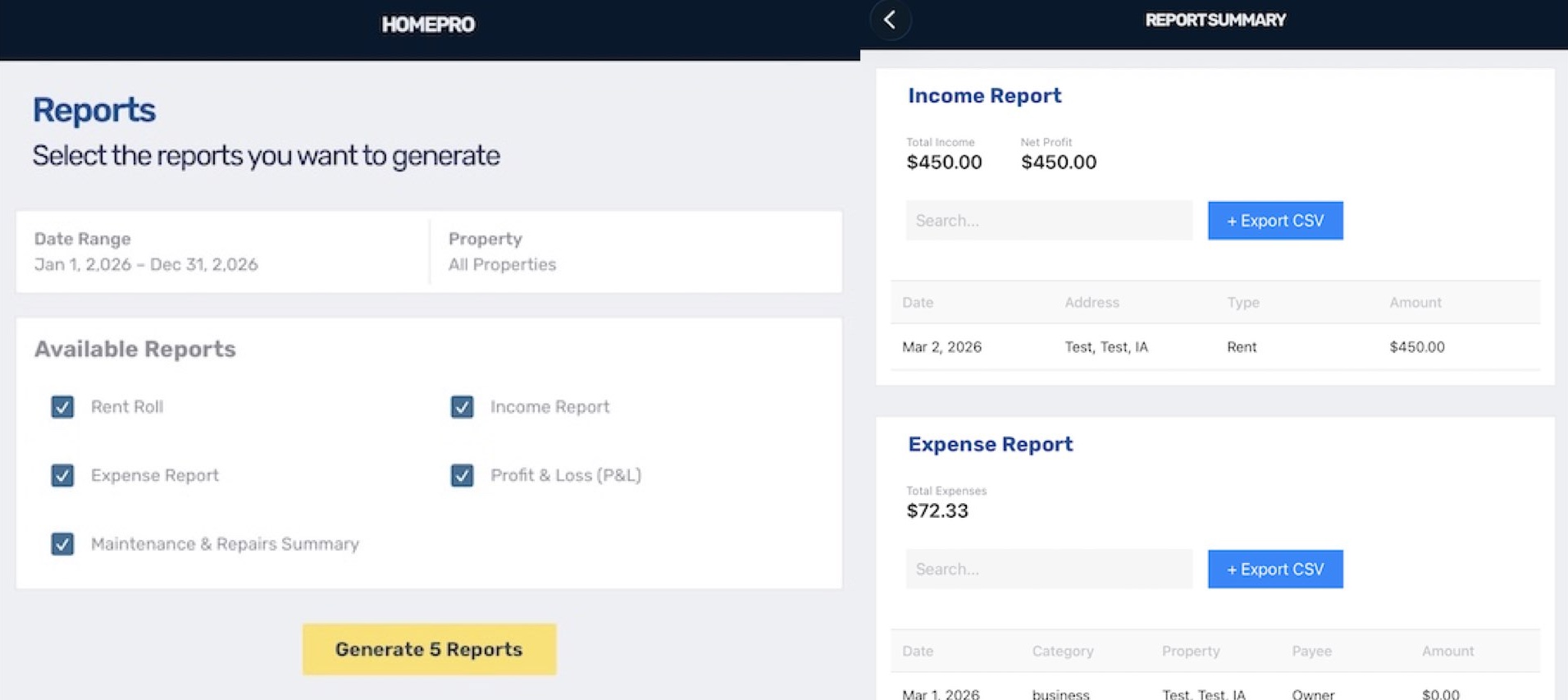
Access reports by navigating to the reports tab in the toolbar where you’ll find 5 pre-selected reports. Next, select generate and you will be taken to a screen to view each report in a list, along with detailed property activities. In the header area of each report you will see a button allowing you to export and save the report data to your device as a csv file.
Tenant Management
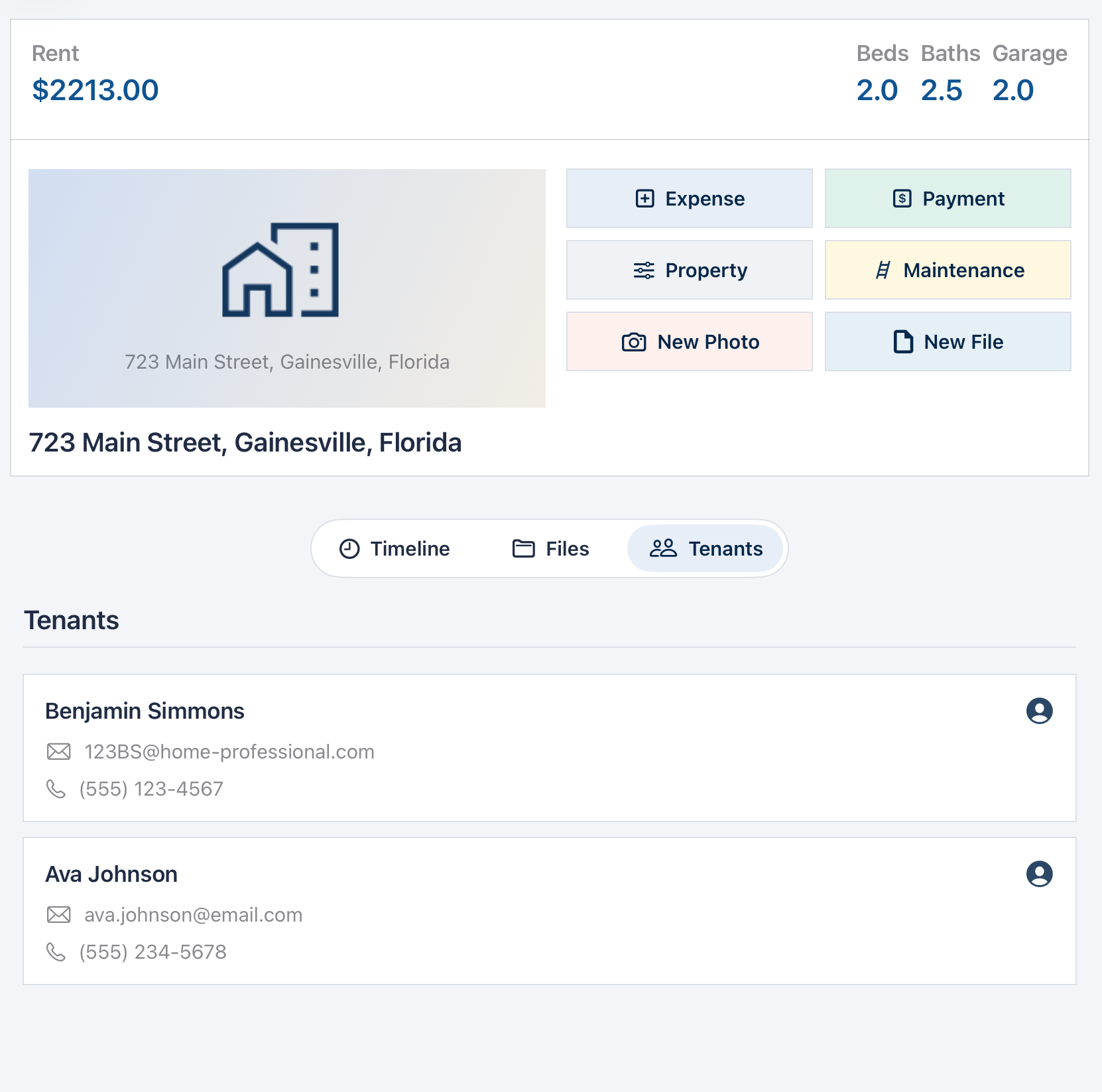
You now have the ability to add tenants directly to a property upon creation, or on the property detail page. To view the list of current tenants, navigate to the Tenants tab on the property detail page. From there, you can add or edit each tenants name, email, phone number and other information.
Account Management
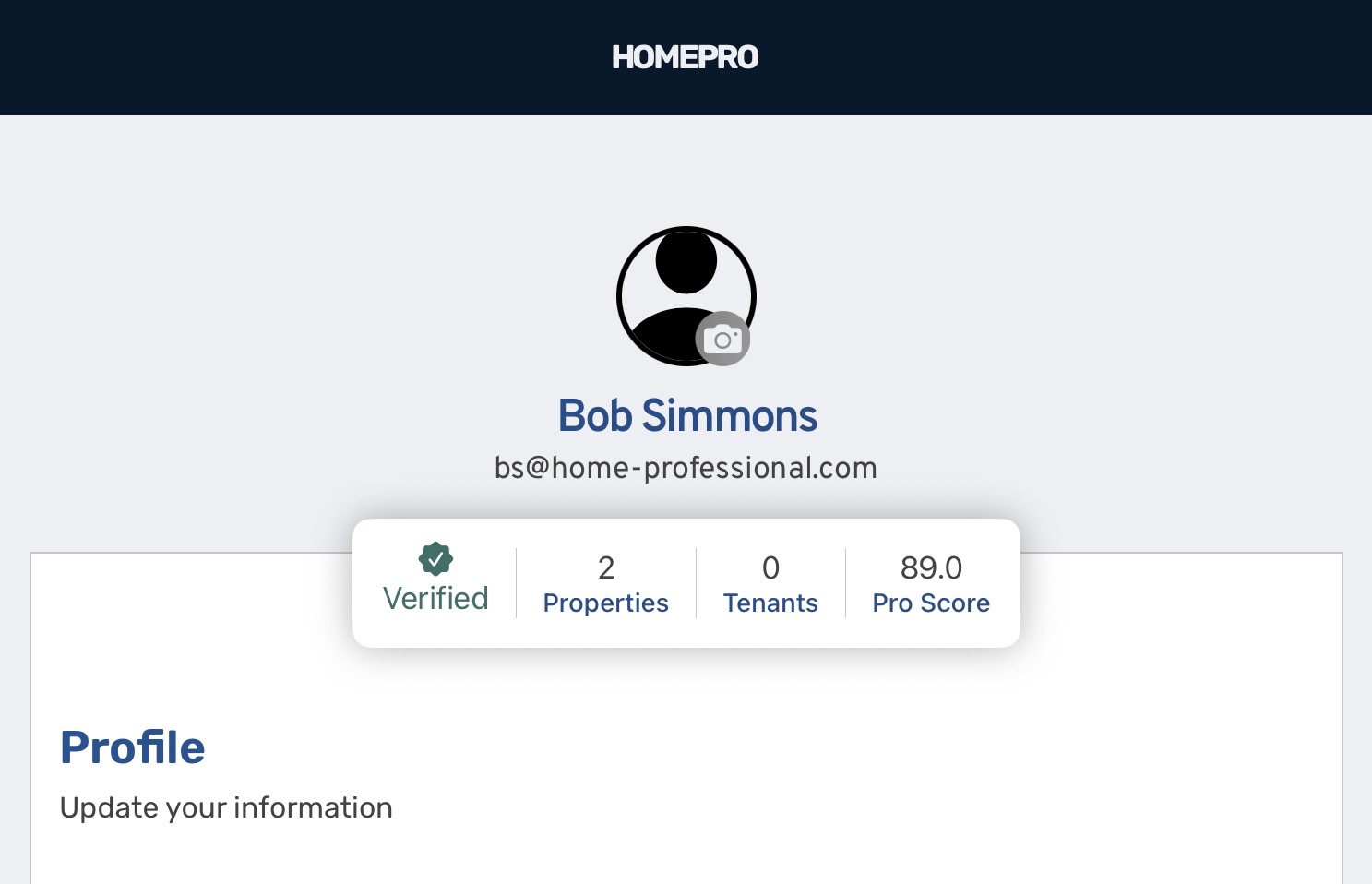
Manage your HOMEPRO account by navigating to the settings tab. On the settings page you’ll find a header area where you can add your profile picture, view your verification status, number of properties, and tenants as well as your Pro Score indicating the overall health of your operations and finances. Below the header you’ll find your profile area where you can edit your basic information including name and email.
